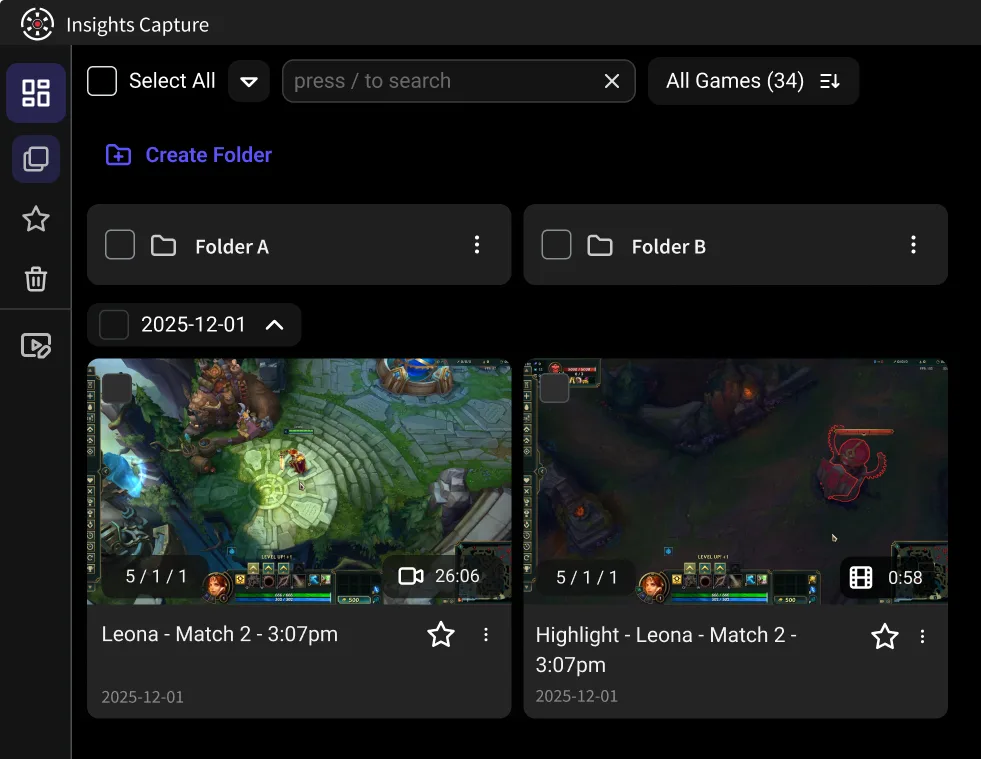
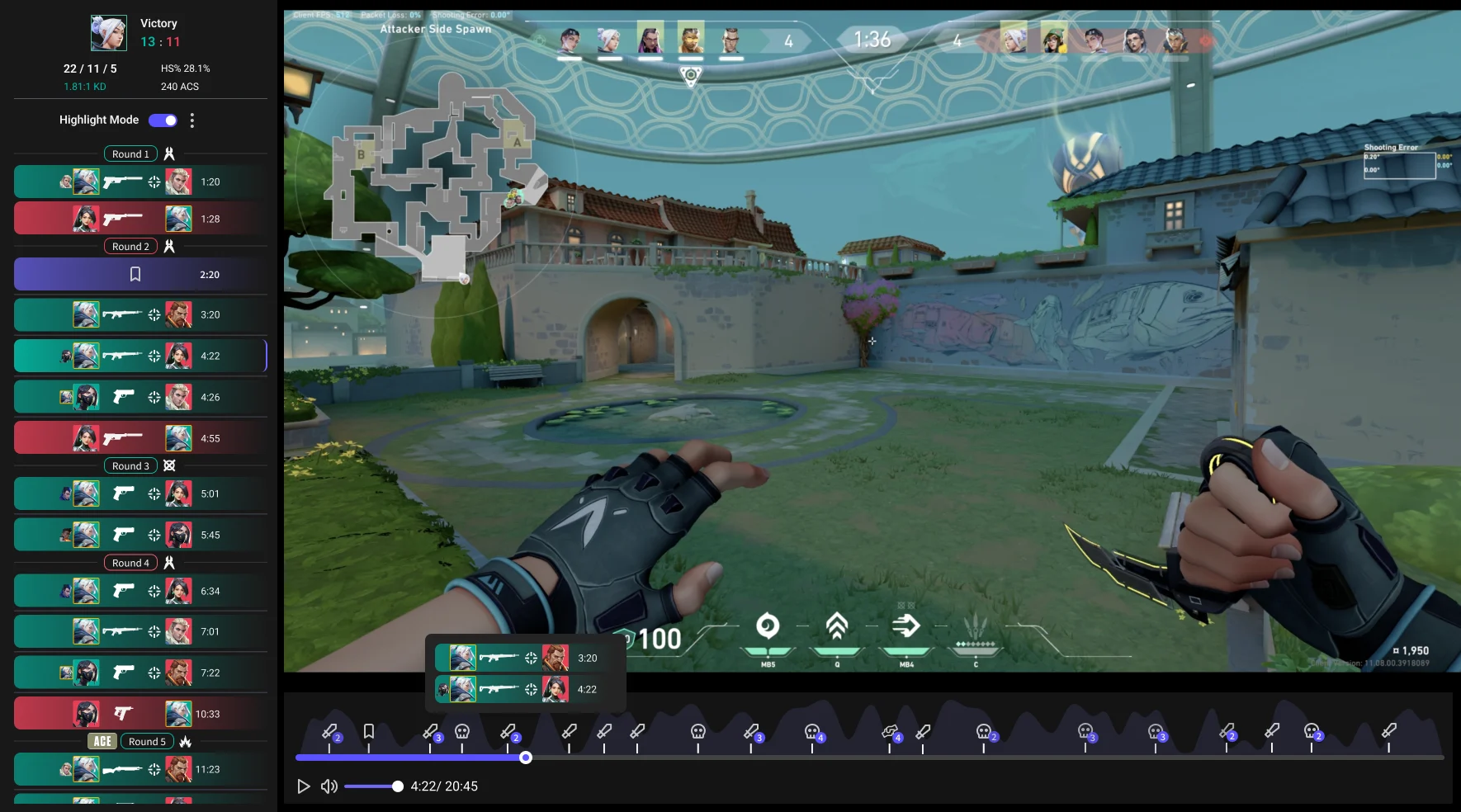
Your full recordings are auto-broken into clean, digestible moments.
Date
26 Oct 2022
Total recorded
4 h 22 min
Game
Valorant
Followers
124 K
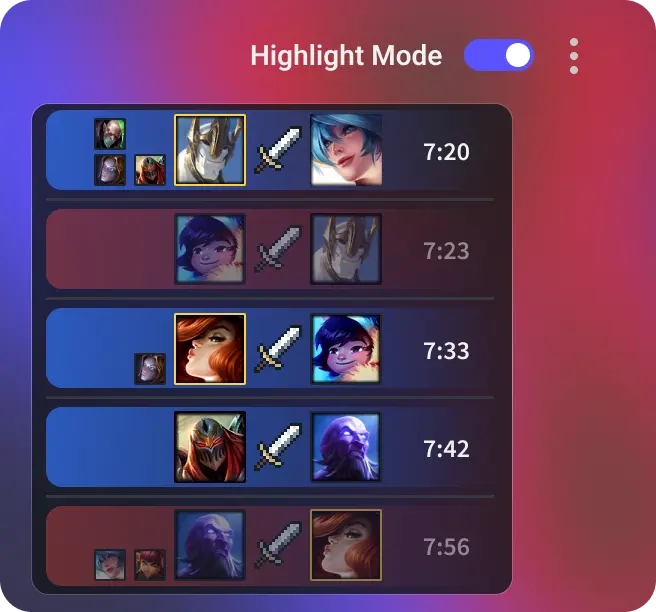
Highlight Mode
No filler. No downtime. Instantly jump to the hype plays.
Date
26 Oct 2022
Total recorded
4 h 22 min
Game
Valorant
Followers
124 K
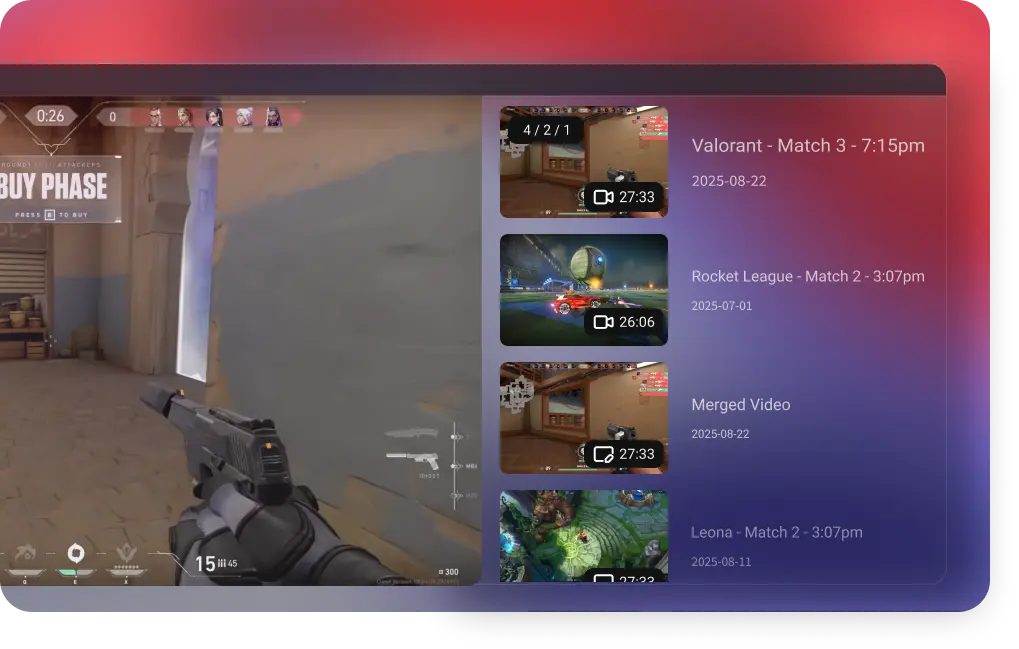
Create Highlight Video
Build a clean mini-montage of your best matches in seconds.
Date
26 Oct 2022
Total recorded
4 h 22 min
Game
Valorant
Followers
124 K
Why Insights Capture V3 is Perfect for your game
FEATURE 1
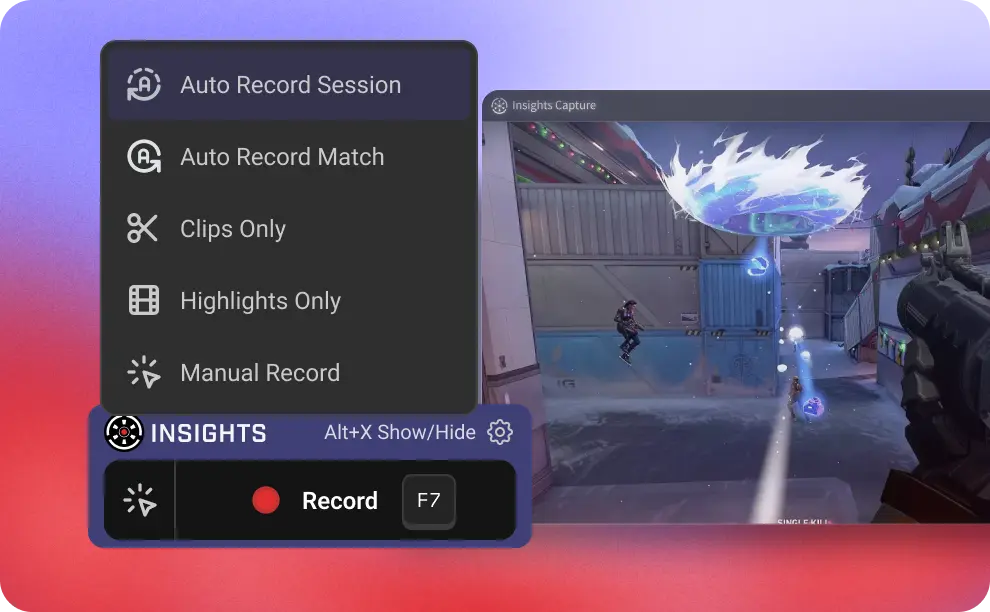
Recording Mode
Capture your games the way you like:
Full Recording, capture every moment of the grind Clip Mode, save your favorite plays with a hotkey Highlight Mode, auto-montage every match (select games only)
FEATURE 2
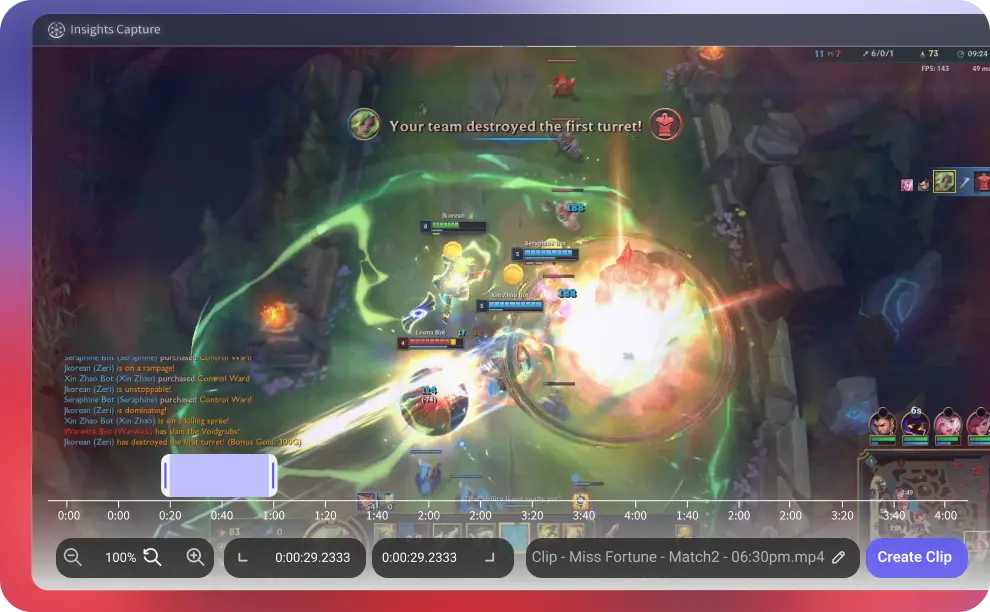
Updated Clipping Tool
Cut clips smoother than ever with the upgraded, precision-focused clipping UI.
FEATURE 3
Next Video
A slick new “Next Video” flow makes browsing your footage effortless.
FEATURE 4
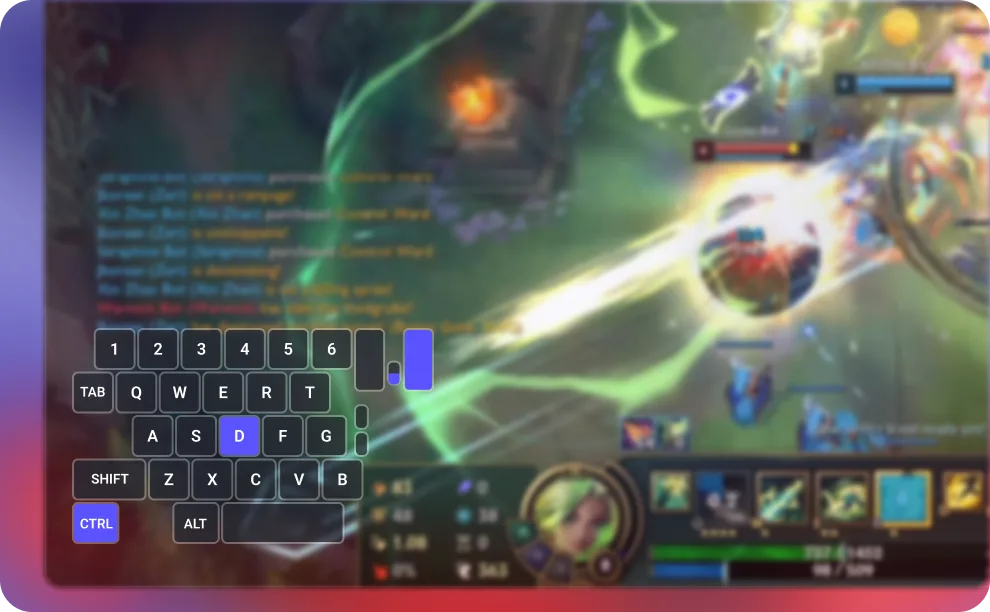
Mouse & Input Overlay
See every click, tap, and combo, perfect for analyzing your plays or showing off your mechanics.
FEATURE 5
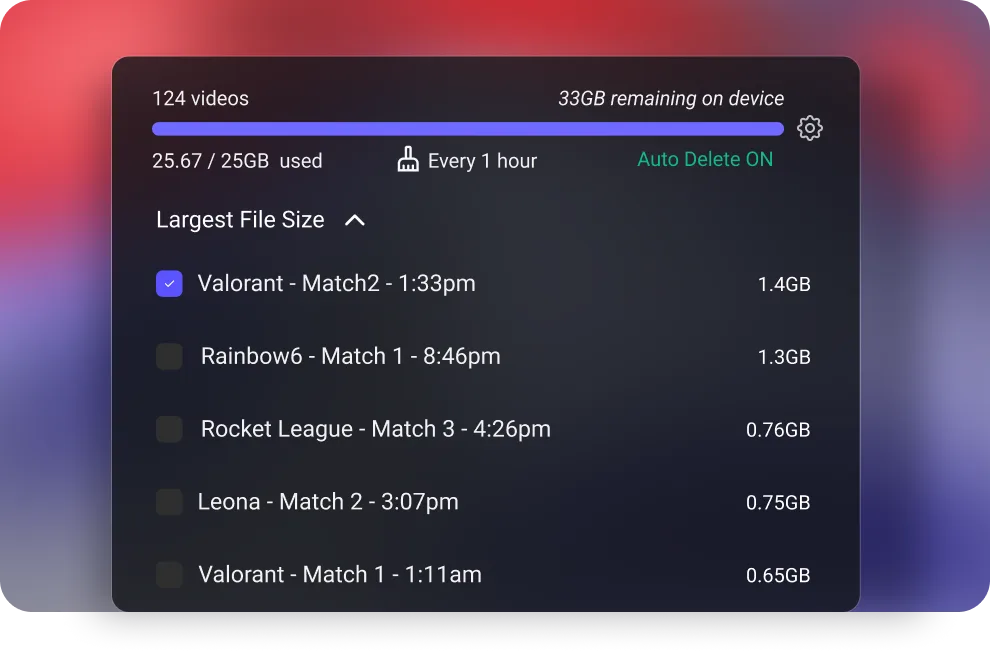
Manage Storage
Instantly visualize your storage and clean up old videos with one glance.
01
03
record
game review
video library
Supporting Capture for 10,000+ games
Frequently Asked Questions (FAQ) on Insights Capture V3
How is Insights Capture different from OBS?
OBS is a broadcasting tool built for streaming, while Insights Capture is designed specifically for gameplay recording and analysis. Instead of dealing with complex scenes, plugins, and streaming settings, Insights makes it easy to record your gameplay and break it down using in-game events so you can quickly find the moments you want to watch. Version 3 is also optimized for lower FPS impact, making it ideal for competitive players who want smooth and consistent performance while recording.
What’s new in Version 3?
Version 3 is a complete rebuild that is faster, lighter, and designed for competitive gaming performance. Key upgrades include:A standalone app (no more Overwolf) - A new architecture with approximately 40% less FPS impact - The Timeline interface for match breakdown - Highlight Mode with automatic montage creation - A redesigned clipping tool - Improved storage management - Expanded game support with more titles coming throughout 2025
Does Insights Capture affect my FPS?
Version 3 significantly reduces performance impact. The new engine results in roughly 40 percent less FPS drop compared to previous versions. This is especially important for top 1 percent competitive players where every frame affects aim, reaction time, and overall consistency. Insights V3 is built to stay lightweight so you can play and record at peak performance.
What is the new Timeline feature?
Timeline automatically breaks down your full recording into key moments such as kills, deaths, objectives, teamfights, and more depending on the game. Instead of scrubbing through long videos, you can jump straight to the exact moment you want to rewatch. It turns every match into a visual and easy-to-navigate story of what happened. At launch, Timeline supports Valorant and League of Legends, with more titles coming soon.
What games does Insights Capture support?
- Capture support for more than 10,000 PC games - Game event support for 45 or more games - Timeline support for League of Legends and Valorant We are expanding rapidly, and new game support will continue rolling out throughout 2025.
Will Insights Capture be free?
Yes. Insights Capture is completely free to use, with optional premium features available through our ELITE subscription plan.
What operating system does Insights Capture support?